DESIGNED BY HIDEHISA SASAKI

Build the pattern you need, instantlyA metronome designed
by a professional musician
Step Metronome

Play the metronome exactly where you want it.
Adjust Swing. Increase the tempo automatically.
Start the rhythm practice that suits you, right away.

Download on the App Store
Step Metronome screen
RHYTHM Q&A

Do any of these rhythm challenges sound familiar?

Find a practical exercise for your challenge.

Step Mode

A metronome that gets your practice going right away

01 Play the metronome exactly where you need it

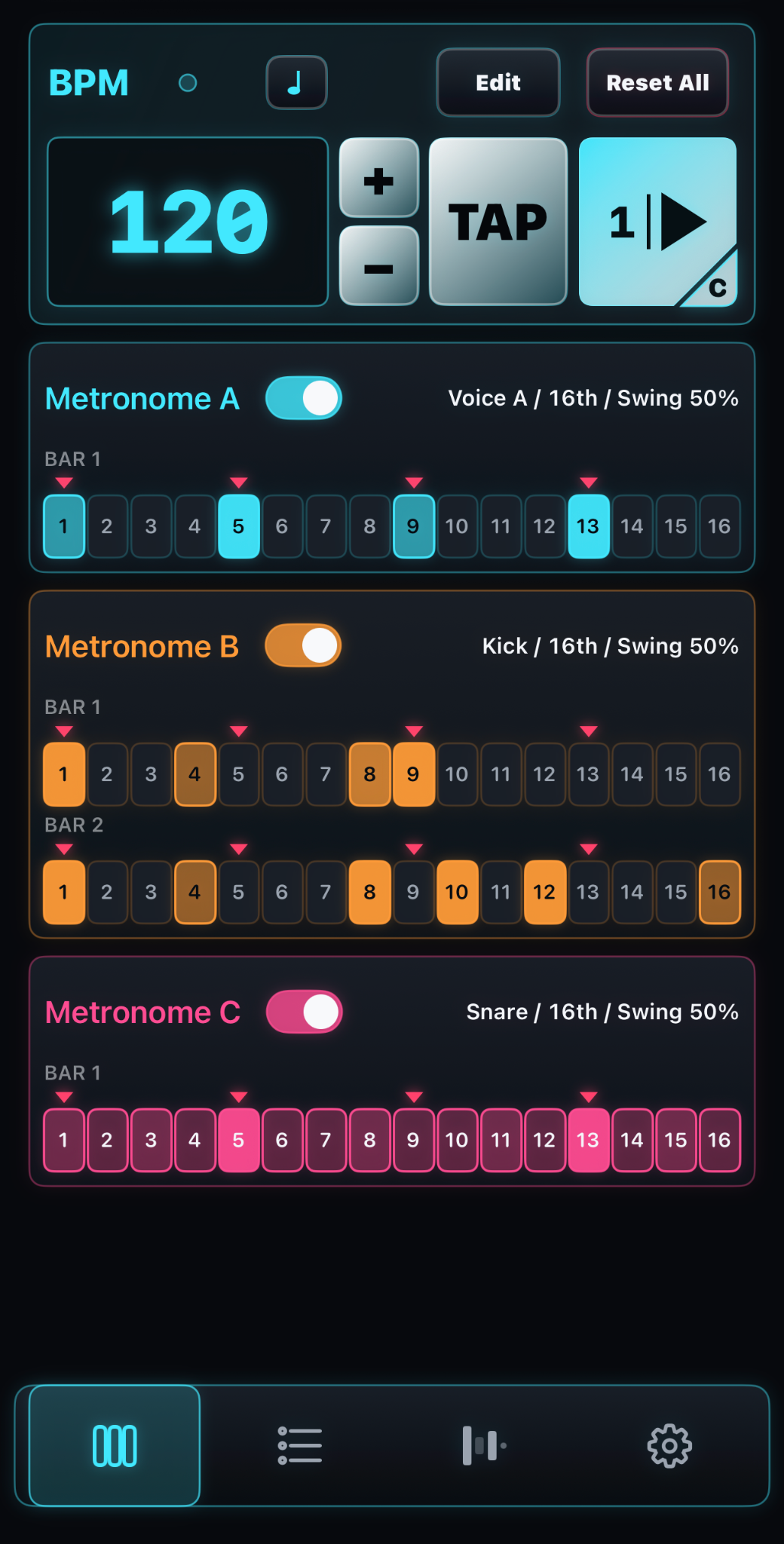
Step buttons let you play any metronome pattern with a simple tap.

Each Step button makes it easy to change Velocity (strength).

Build the rhythm exercise you need, quickly.

• Practice with only the fourth sixteenth note of each beat, keeping the start of beat 1 as a reference.

Simply turn Step buttons on or off

• Develop your groove with softer beats 1 and 3 and stronger beats 2 and 4

Press and hold a Step button, then swipe up or down to change Velocity (strength)

02 Play three metronomes at once

Play simultaneously with three metronomes.

Easily combine different subdivisions, switching between eighth notes, triplets, and sixteenth notes.

See the rhythm clearly at a glance to understand and learn it faster.

Snare, Kick, and Hi-Hat sounds are also available.

Make your everyday practice more enjoyable and keep it going.

• Example exercise combining eighth notes, triplets, and sixteenth notes

Metronome A = eighth notes
Metronome B = triplets
Metronome C = sixteenth notes

• You can also choose Snare, Kick, and Hi-Hat sounds.

Play a metronome and drum pattern together!

Metronome A = click (emphasizing beats 2 & 4)
Metronome B = Kick
Metronome C = Snare & Hi-Hat

03 Adjust swing in 1% increments

The Swing bar lets you adjust the swing ratio freely from 50–75% in 1% increments.

From a lightly swung sixteenth-note feel close to straight (50%) to a deeper swing than triplets (66%).

Explore rhythm exercises beyond the reach of a conventional metronome.

• Move the Swing bar and feel how the groove changes

• At a medium swing tempo, 66% can sound like a Japanese festival rhythm…

Closer to 75% gives it much more of a jazz feel!

Training Mode

Gradually increase your BPM, and more

Three Training modes let you, for example:

• Increase the tempo by 5 BPM every 8 bars (STEP)

• Gradually reach your target BPM over 3 minutes (SWEEP)

• Practice keeping time while the sound is randomly muted (RANDOM MUTE)

Start exercises like these right away.

Make daily fundamentals and phrase practice enjoyable and effective.

• Step setup example: increase from 120 to 190 BPM by 5 BPM every 8 bars.

You can also add a 2-bar Count In at each tempo change.

It also calculates your practice duration and displays the remaining time
Preset Mode

Save and share your rhythm patterns

Name and save your favorite patterns. Organize them by category.

Arrange your daily warm-up patterns in the order of your practice routine.

Presets can be imported and exported.

Share patterns for a new song with your band, or distribute exercise patterns to your students.

• Created by professional guitarist Hidehisa Sasaki:
rhythm exercise patterns in 65 included presets!

Just choose one and start practicing.

Ready to build your ideal rhythm practice setup?

Learn the basics with Quick Start
Download on the App Store